
Main menu
You are here
Hot Seat Analyzer

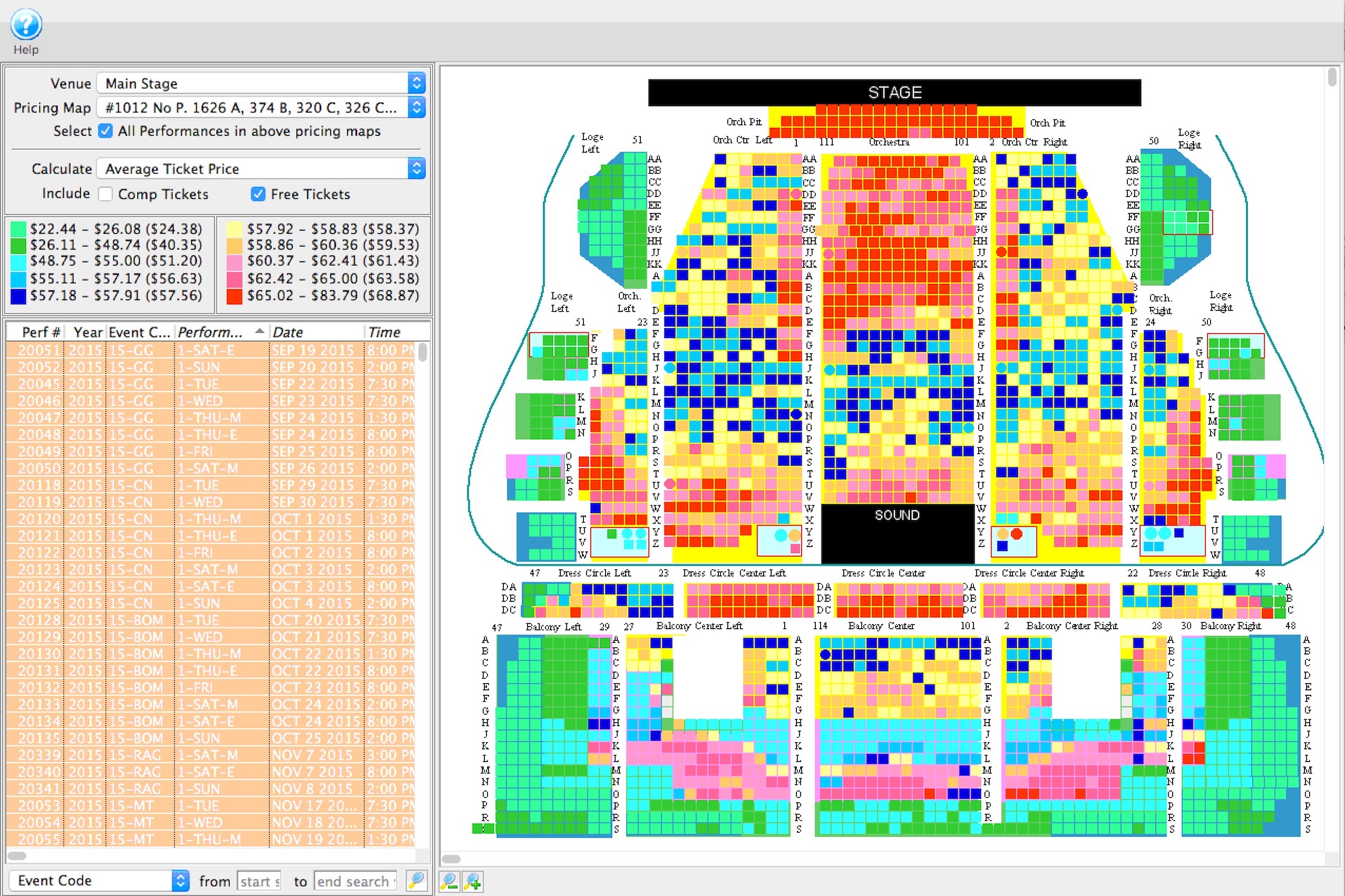 The hot seat analyzer tool can be used to:
- Determine the usage frequency of seats in a venue and/or the revenue capacity of a particular seat and provide a heat map
- Find out if the current price zones in the venue are appropriate or if they should be allocated differently to accommodate customer preferences in your venue.
Using the tool, you may replace the typical bands of seats with different pricing on aisles or zones in the venue.
How to Start the Hot Seat Analyser
to use the hot seat analyzer, you perform the following steps:
- From the main menus, choose Patron Sales -> Hot Seat Analyzer
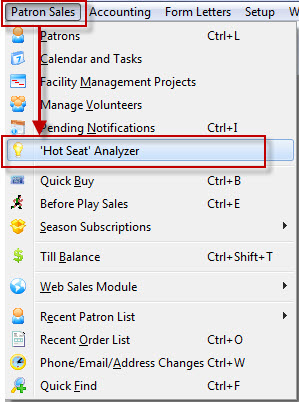
The Hot Seat Analyzer opens.
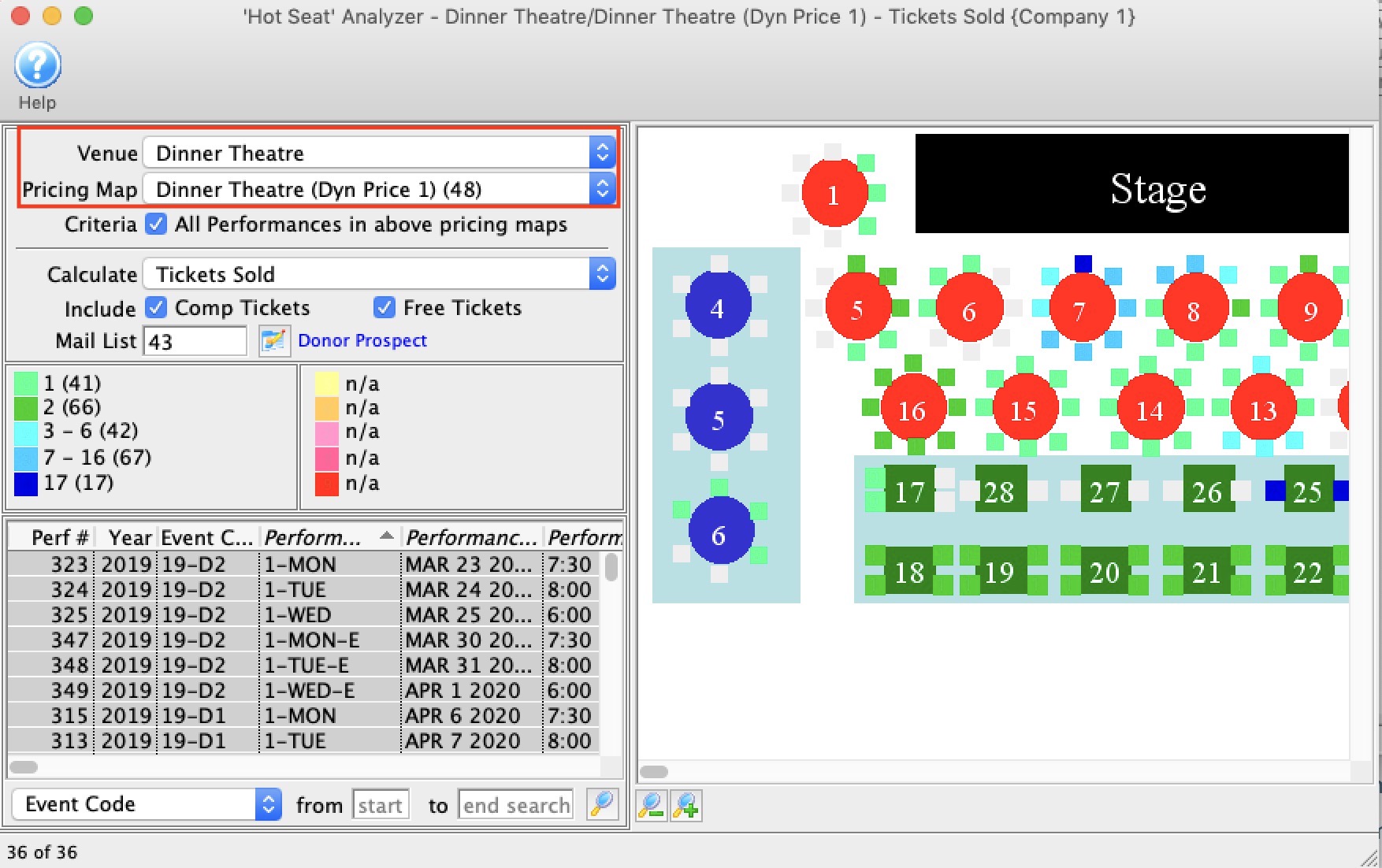
- Choose a Venue/Theatre from the drop down list.
- Choose a Pricing Map from the drop down list.
Theatre Manager shows the reserved seating events in the venue that are active.
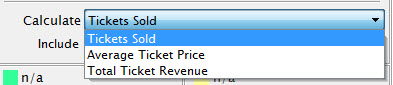
- Choose a summary method from the drop down list.
Select if you want the seat display to:
- Include comps - which are tickets that had a value, but were discounted to zero using a promotion
- Include free tickets - which are tickets that started off at a zero price
- Include patrons that are part of a mail list. You could limit the patrons displayed on the hot seat analyzer to include:
- only a certain list of donors. eg: if you wanted to see where people who gave between $200 and $250 tended to sit
- last years purchasers or prior year purchases. eg: if you made a zone change in the venue for this year, did it change prior patrons buying habits
- people who bought 3 or more tickets. eg: do multiple ticket buyers have a preferences for are in the venue?
- people who are both donors and volunteers. eg: are the volunteers telling you something about best view in the house?
- any kind of grouping you wish. If no mail list is provided, then all patrons with tickets are included.
- Select a range of performances in the list on the left that you want to analyze.
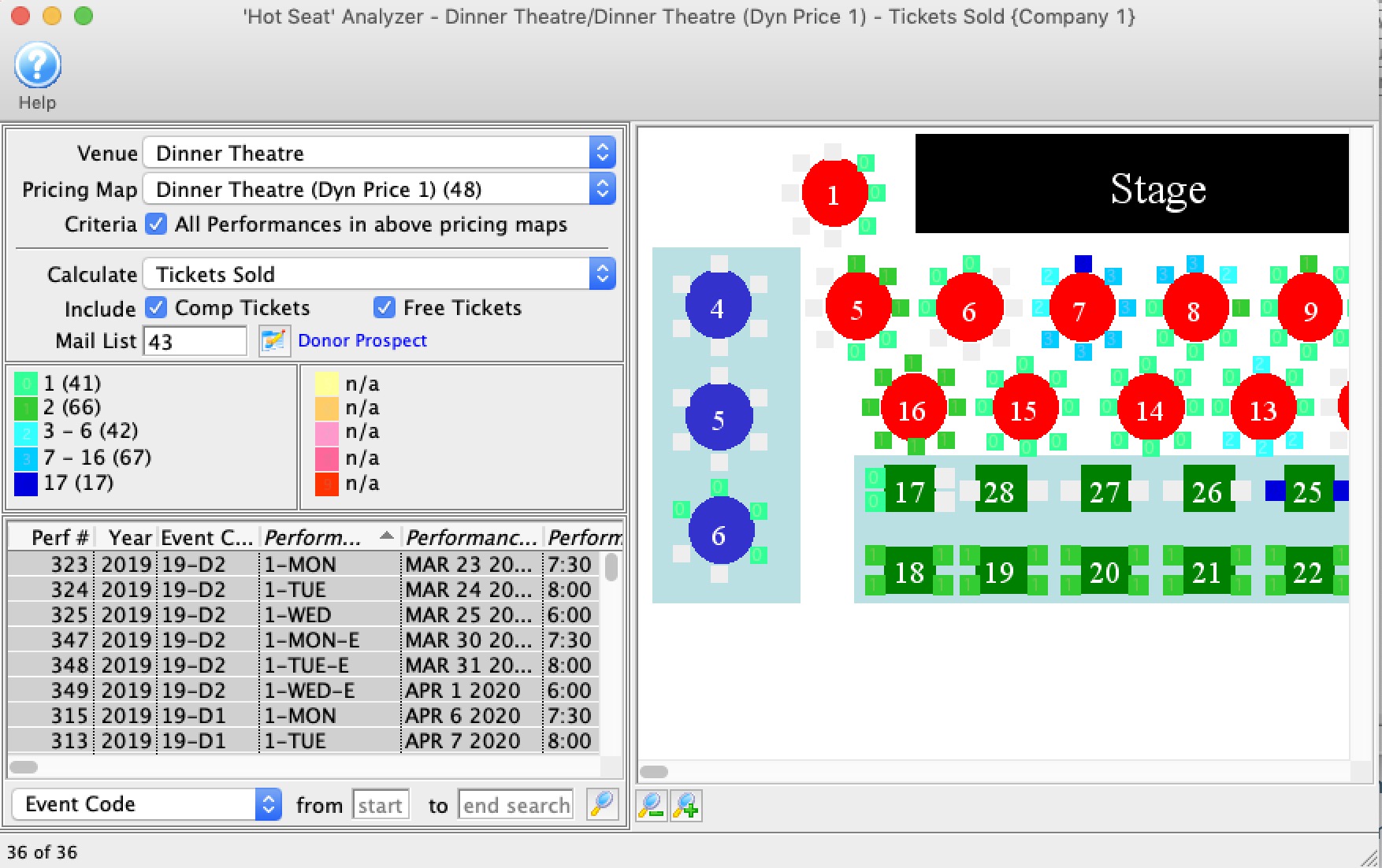
Theatre Manager aggregates information based on the seats that are sold in the map, and adjusts the legend.
|
As the performances and options are changed, Theatre Manager automatically adjusts the legend and colour scaling. That means a colour on one analysis does not necessarily mean the same as the same colour on another seat analysis. |
